Date: 22nd December, 2024
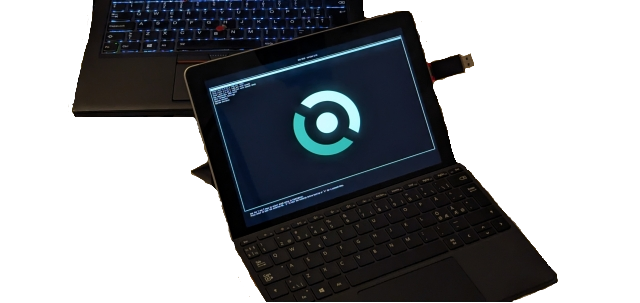
After installing and trying out Windows 10 on this thing, I wondered to myself - what if I were to install something like Void Linux on a 2018 Surface Go (1st gen)? To my (no) surprise, it was not at all as easy as one would wish for it to be. With Windows it was just installation, a driver pack directly from the Microsoft website, some programs to install und das war’s. With Void I had to learn a lot new (to me) stuff because the internet modem did not work correctly or at all; I wanted to write a short tutorial on how to connect to the internet using bare Void, but I think if you’re brave and patient enough, the information is already there. Even after installing the custom built kernel the entire functionality was not regained. Anyway.
First generation Surface Go was released by Microsoft in Q3 2018. It features a nice 10“ 1800 × 1200 “PixelSense” display, a front and a back facing camera set which also includes an infrared camera used for Windows Hello sign-in, a single USB-C port, 3.5 mm headphone jack, microSD card slot and a proprietary Surface Connect type of port, usually necessary for charging the device or extending the port choice; it has also got front firing speakers. The thing is powered by Intel Pentium 4415Y with TDP of just 8 W and a battery which, according to Microsoft, can last up to 9 hours playing video at medium brightness. My particular specimen came with a 128 GB SSD, 8 GB of RAM and no mobile broadband connectivity added.
While using Windows on Surface Go I faced very little issues. It is clear that this tablet features a relatively low power processor, so while I wouldn't be able to play even a bit heavier than lightweight games, manipulate images at high resolutions or edit and export videos, this tablet is indeed useful for office work, drawing, video and music playback and maybe even video conferencing on the go. Doing all these things the tablet usually remained relatively cool with its magnesium alloy body very efficiently dissipating the heat and allowing the computer to remain functional with no bigger hiccups. It would get hot streaming higher resolution video online but the thing seemed to have little to no frames dropped. An additional detachable keyboard might be a bit too small for my hands which just crave for anything bigger, despite its flex when put into lifted position was reliable and produced no unwanted input; my fingers maybe did so, though.
The display is hands down amazing, especially for its price nowadays. There was no color or brightness distortion observed when looking from various angles and the image was sharp. Inspecting images, watching video felt good simply because of the color accuracy I usually get to see only on Retina screens. Even if unmuffled, audio on this thing was not as great as the display though, with its tiny speakers sounding quite quiet which didn’t really make it good for watching movies while moving much around the house. The highs and the lows were pretty decent though, I’ve got to give it that. Watching video like this Surface Go lasted ca. 5 hours for me, while doing a mixed flow of tasks gave between 4 and 5 hours of battery life depending on how much I kept in the background. Obviously this is due to the computer having been already used before and the battery having already somewhat degraded. Despite that, I was content with what I was able to do with this computer even when considering its power limitations, both processor and battery.
I would like to refrain from further comment about using any Linux distribution on Surface Go as the only distro I used was Void Linux. For its network modem to work correctly I had to install a custom kernel specifically modified for Surface tablets and even then the cameras didn’t work at all. Maybe there is a distro with all the functionality working from the get-go, just like with a laptop that I will write about later. In any case, it was somewhat fun trying out and learning new things about Linux this way and I might even do it again. But for the time being, the secret Santa is gifting a Surface Go to my mom with the hopes that she will find it useful and productive to work with. I've heard Fedora and Ubuntu are very easy to handle on this computer.
If you made it over here, I would like to thank you for reading this short text of mine. I wish you a merry Christmas and a happy New Year and I will see you all sooner or later. Herzlichen Glückwunsch an Weihnachten und Guten Rutsch ins neue Jahr. Tschüss!